How to Download X (Twitter) Videos with ClipX
Want to save videos from X (Twitter) to watch offline or reshare when needed? ClipX is an online tool that helps you download videos, GIFs, images, and audio from public posts on X quickly without installing any software.
With just a single post link, you can download your favorite content to your phone or computer in a few simple steps. ClipX.to works directly in your browser and supports multiple download formats to suit different needs.
Steps to download X (Twitter) videos
Step 1: Copy the post link
Access X (Twitter) on your browser or mobile app and find the post containing the video you want to download. Tap the Share icon and select Copy link.
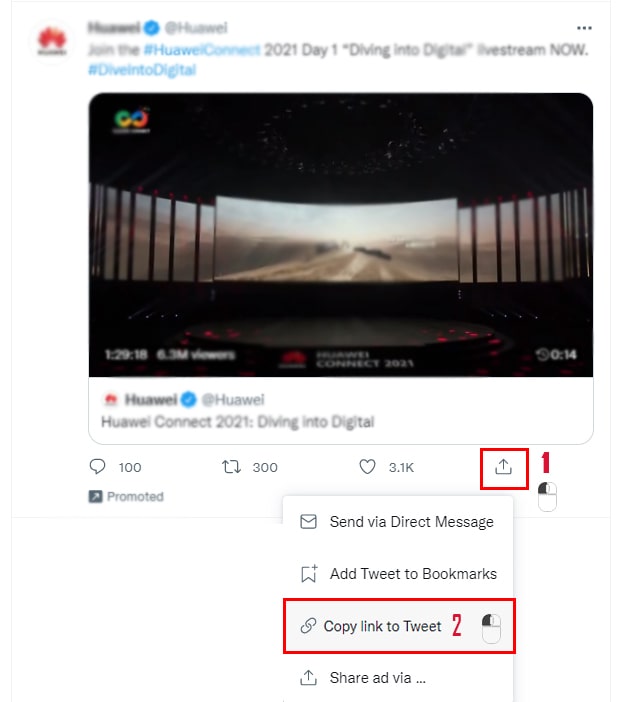
On mobile: Tap Share then select Copy post link.
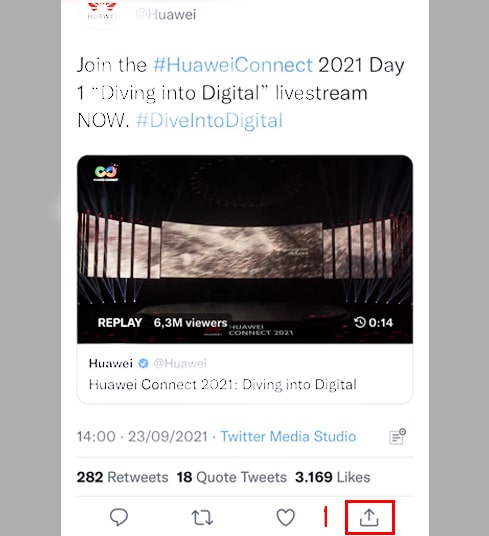
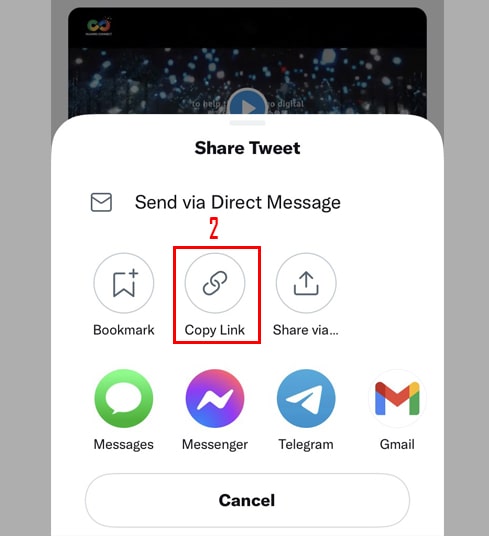
Step 2: Paste the link into ClipX
Open ClipX.to in your web browser, paste the copied link into the input box, and click Download.
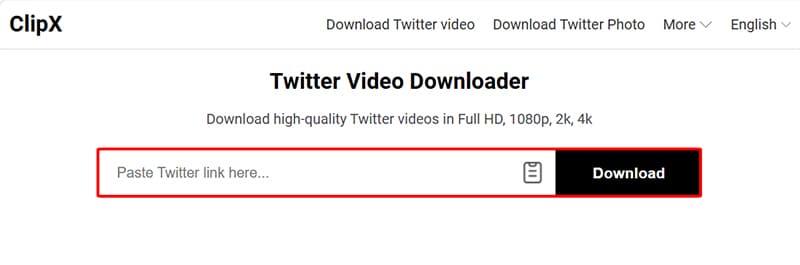
Step 3: Select format and download
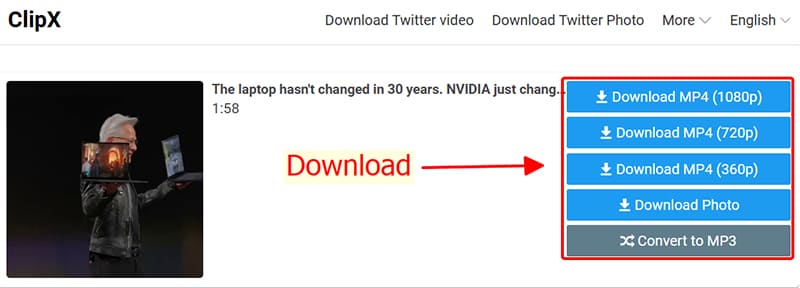
After the system finishes processing, you can choose a suitable format such as: MP4 or MP3 and quality options. Finally, click the Download button to save the file to your device.
Notes on usage
- ClipX only supports content from public posts on X.
- If you cannot download, please check if the post still exists or has restricted access.
- Some content may not be available in certain regions due to restrictions from the platform or the content owner.